

Overview
Audit Logs in Vikat Enterprise record administrative activity so operators can review who changed what, when it happened, and which resource was affected. Audit log entries can be signed with an HMAC key, retained for a configurable number of days, viewed in the dashboard, and exported for downstream review.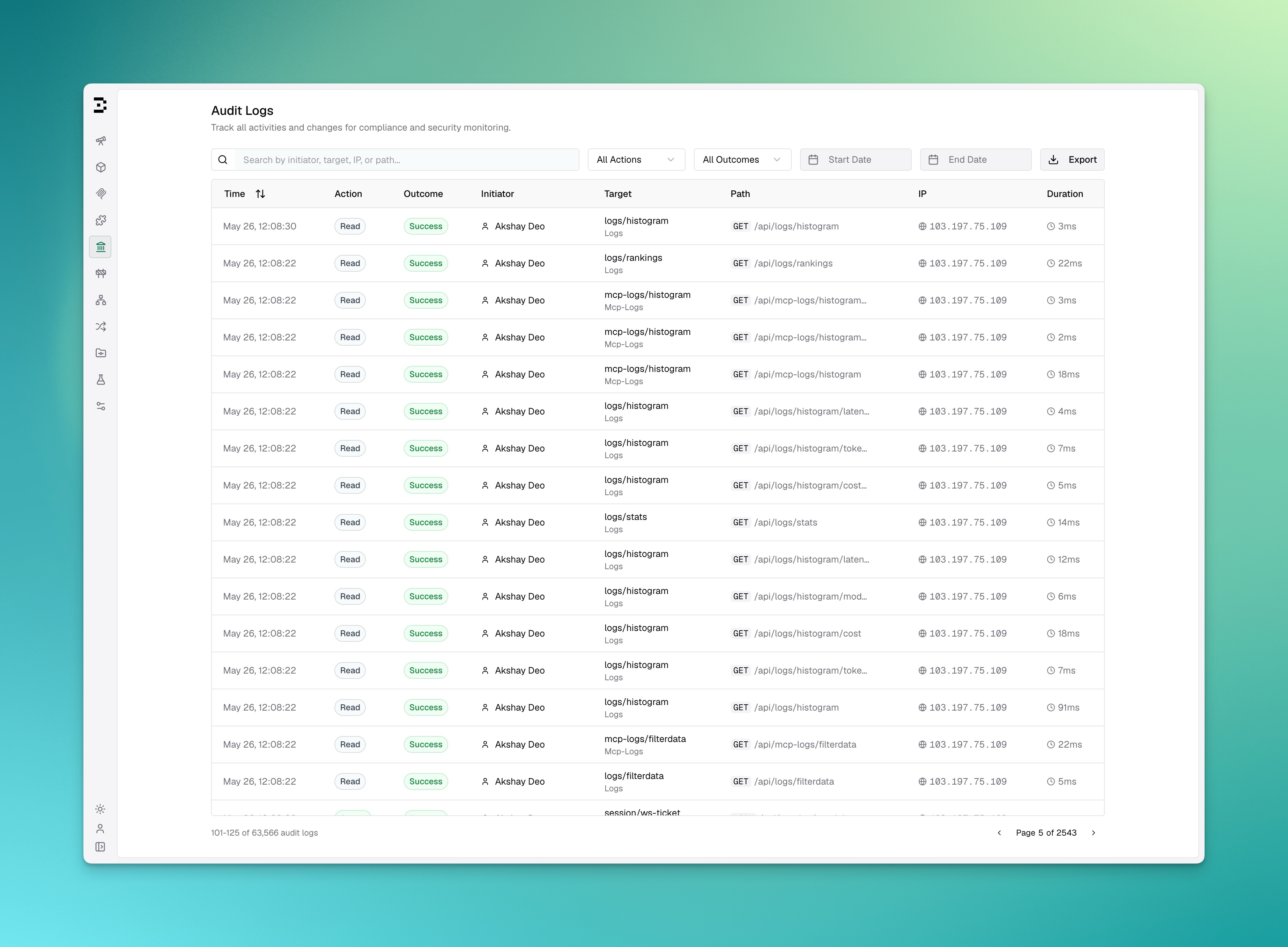
Key Features
Configuration
Configuration Fields
Viewing Audit Logs
Open Governance > Audit Logs in the Vikat dashboard. The table shows:
You can search by initiator, target, IP, or path, and filter by action, outcome, start date, and end date.
Exporting Audit Logs
Users withAuditLogs:Download permission can export the currently filtered audit log results from the dashboard.
Supported export formats: