

Overview
By default, Vikat stores provider API keys, virtual key values, and other credentials in its config database. Secret Management lets you keep those values in your own secret manager - Vikat stores a reference and resolves the real value at runtime. Once connected, any secret field in Vikat (provider keys, virtual key values, MCP auth headers, etc.) accepts avault.<path> reference alongside the existing env.<VAR> and plaintext options.
Secret Management is an Enterprise-only feature and requires a PostgreSQL config store.
Access modes
Setaccess_mode to control how much Vikat interacts with your vault:
Start with
read_only if you want to manage secrets yourself. Use read_and_write if you want Vikat to handle it - useful when migrating existing plaintext keys, since Vikat pushes the value to the vault on the next save.
Setup
Pick your backend and add avault_store block inside your existing config_store in config.json.
- AWS Secrets Manager
- GCP Secret Manager
- HashiCorp Vault
- IAM role (recommended)
- Static credentials
- Role assumption
Attach an IAM role to your EC2 instance, ECS task, or EKS pod. No credentials needed in config - the SDK inherits the role automatically. For EKS with IRSA, annotate your service account with the role ARN and leave credentials unset.
AWS fields
Minimum IAM policy for
read_only:secretsmanager:CreateSecret, secretsmanager:PutSecretValue, and secretsmanager:DeleteSecret for read_and_write.Using vault references
Any secret field in Vikat that supportsenv.<VAR> also supports vault.<path>. This covers provider keys, virtual key values, MCP auth headers, plugin credentials, observability tokens, and more. Type the reference directly in the dashboard or set it in config.json.
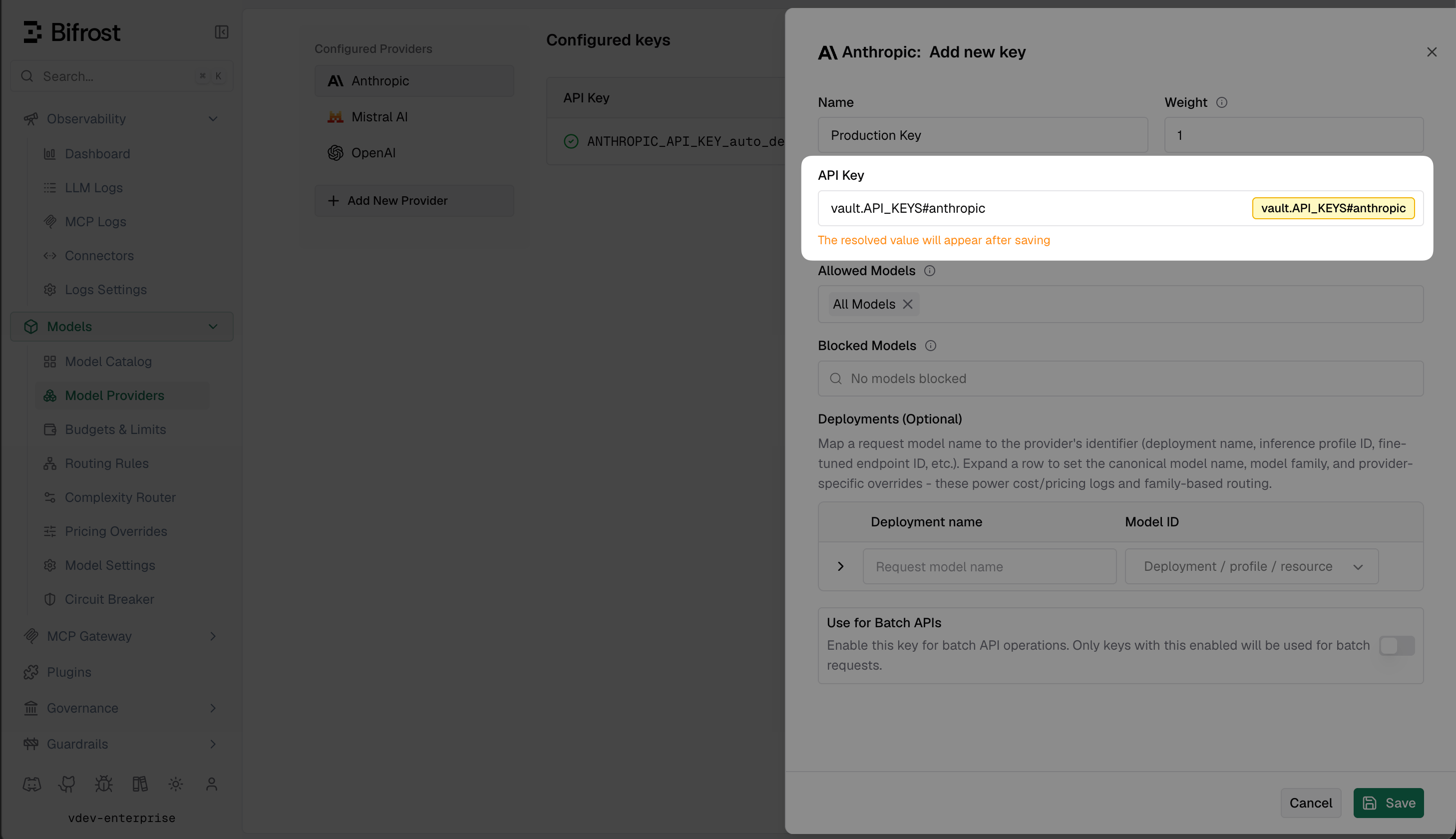
config.json:
Fragment references
If your secret manager holds a JSON object with multiple keys, usevault.<path>#<key> to extract a single field.
For example, if prod/shared-keys contains:
Fragment references are never auto-deleted by Vikat in
read_and_write mode, because the secret is externally managed and may be shared with other services.Rotating secrets
Update the value in your secret manager, then restart the gateway to pick it up.vault.* references are resolved once, at boot, through the vault resolve hook
(framework/secretstore) — the resolved value is then held in memory for the life of the
process. This build has no background refresh loop and no cache-flush endpoint, so a rotated
secret does not reach a running gateway on its own.
Troubleshooting
Vikat fails to start with “vault: ping failed” The backend is unreachable or credentials are invalid. Check network connectivity, verify the IAM role / token has read permissions on the configured prefix, and confirm the region / address / project ID are correct. Secret field is empty after save The reference was saved but the backend returned nothing. Verify the secret exists at that exact path and the credentials haveGetSecretValue / secretAccessor / read permission on it.
New values aren’t being pushed to the vault
access_mode must be read_and_write. The default read_only mode never writes to the backend.
Old value still in use after rotation
Flush the cache via POST /api/vault/flush-cache. If the issue persists, confirm the new version is active in the backend and not still pending.
“vault: not enabled” from the flush-cache endpoint
vault_store.enabled is false or the block is missing from config.json. Fix the config and restart.
Next steps
- Audit Logs - use vault-backed keys for HMAC audit log signing
- Clustering - cache flushes broadcast to all cluster peers automatically
- AWS deployment guide - set up IRSA for keyless Secrets Manager access
- GCP deployment guide - set up Workload Identity for keyless Secret Manager access