

If your Allowed Headers are already set to
*, you can skip this note. If not and you face issues integrating Vikat with Open WebUI, try switching to * or adding the specific headers required by your client. By default, Vikat whitelists: Content-Type, Authorization, X-Requested-With, X-Stainless-Timeout, and X-Api-Key.Setup
1. Install Open WebUI
Follow the Open WebUI documentation for installation. Open WebUI can run via Docker, Docker Compose, or Kubernetes.2. Add Vikat as a Connection
- Open Open WebUI in your browser
- Go to ⚙️ Admin Settings → Connections → OpenAI
- Click ➕ Add Connection
- Configure the following:
- Click Save
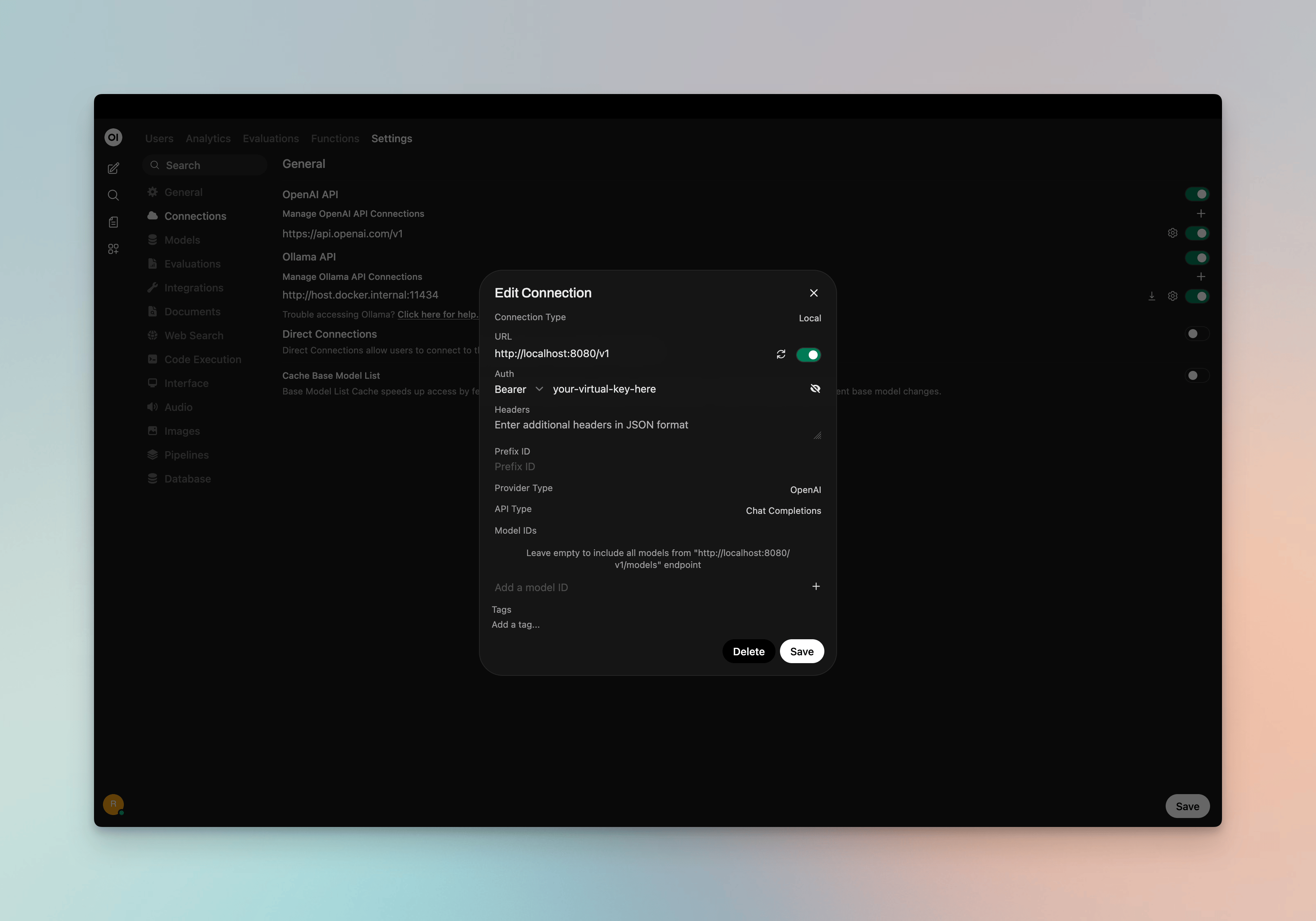
3. Model Discovery
Open WebUI fetches available models from Vikat’s/v1/models endpoint. If auto-detection fails or you want to filter which models appear, add model IDs to the Model IDs (Filter) allowlist in the connection settings. Use Vikat model IDs in provider/model format (e.g. openai/gpt-5, anthropic/claude-sonnet-4-5-20250929).
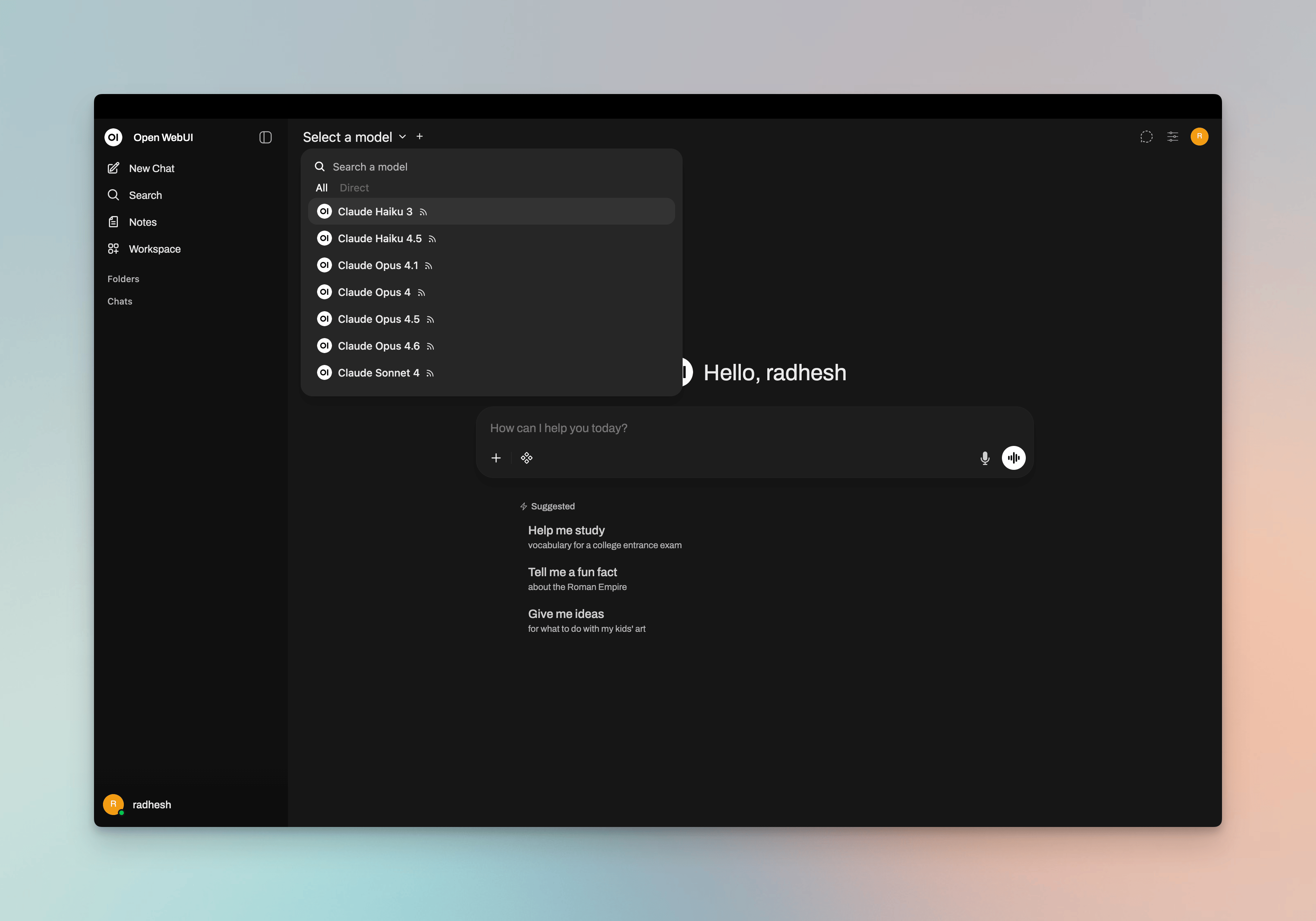
4. Start Chatting
Select your Vikat connection’s model from the chat model selector and start chatting.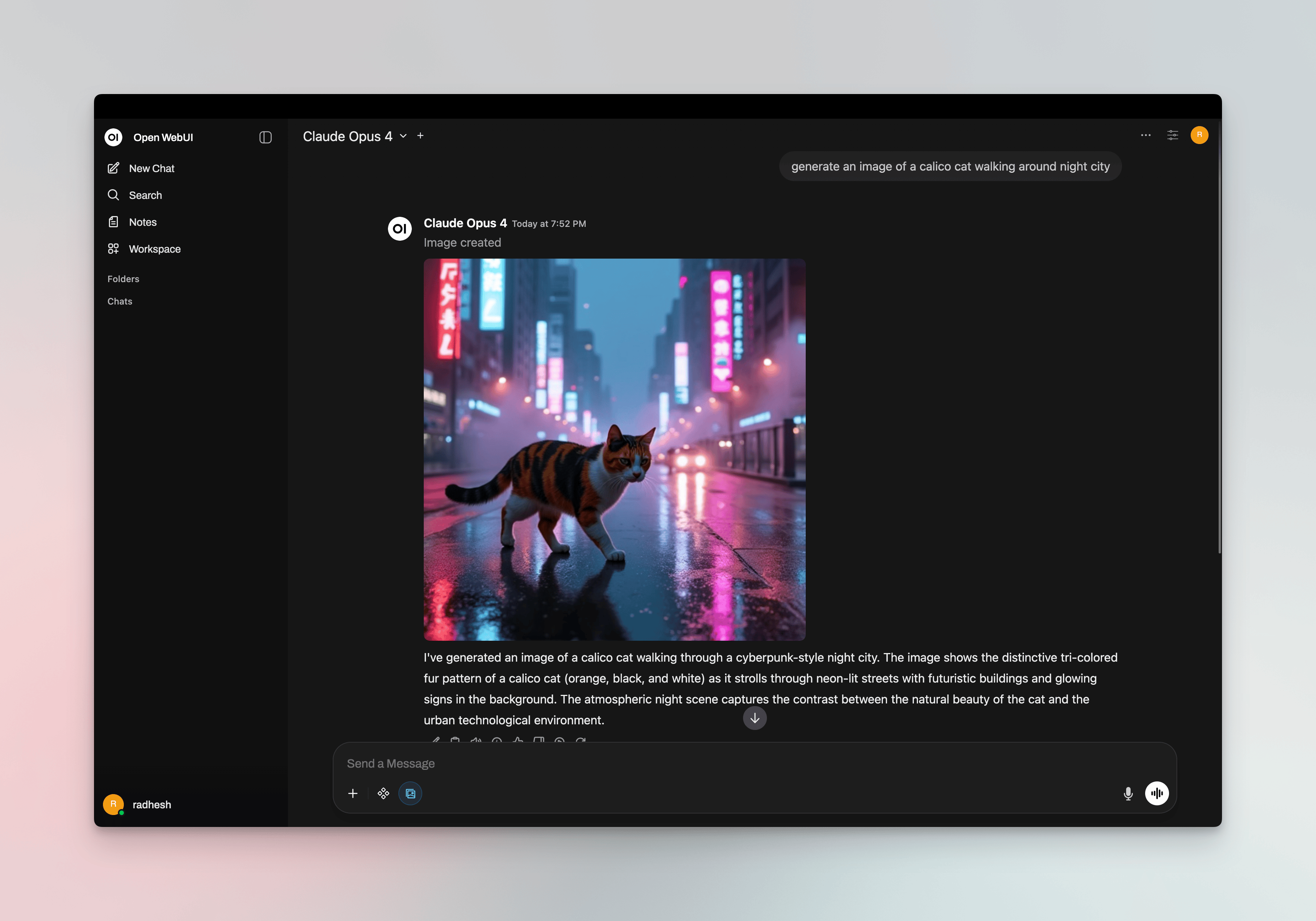
Virtual Keys
When Vikat has virtual key authentication enabled, set API Key in the connection to your virtual key. This lets you enforce usage limits, budgets, and access control per user or team. For team deployments, create separate Open WebUI connections (or use different API keys per connection) - each virtual key can have its own rate limits, budgets, and provider access rules configured in the Vikat dashboard.Per-User Attribution with OAuth/SSO
If Open WebUI uses OAuth/SSO and you want Vikat to attribute requests to the signed-in user, configure Open WebUI to request an access token with the audience that Vikat trusts. This usually means adding a delegated scope for that audience to Open WebUI’s OAuth scopes. The bearer token forwarded by Open WebUI should be issued for the audience configured in Vikat. Some identity providers issue tokens for a default service unless you explicitly request the delegated scope for the audience Vikat expects.Configure the OAuth Scope
- In your OAuth/OIDC provider, create or configure the audience for the Open WebUI-to-Vikat integration.
- Define or identify the delegated user scope for that audience in your identity provider.
- Add that audience scope to Open WebUI’s
OAUTH_SCOPESenvironment variable alongside the normal identity scopes, such asopenid,profile,email, andoffline_accesswhen supported. - Ensure Vikat’s enterprise OIDC/SSO configuration trusts the same issuer and audience.
- Restart Open WebUI and sign in again so Open WebUI obtains a fresh token.
Model Selection
Open WebUI displays models fetched from Vikat or those you add to the Model IDs allowlist. Use Vikat model IDs inprovider/model format to access any configured provider:
- Use powerful models like
openai/gpt-5oranthropic/claude-sonnet-4-5-20250929for complex conversations - Use fast models like
groq/llama-3.3-70b-versatilefor quick responses
Using Multiple Providers
Vikat routes requests to the correct provider based on the model name. Use theprovider/model-name format to access any configured provider through the single /v1 endpoint:
Supported Providers
Vikat supports the following providers with theprovider/model-name format:
openai, azure, gemini, vertex, bedrock, mistral, groq, cerebras, deepseek, cohere, perplexity, xai, ollama, openrouter, huggingface, nebius, parasail, replicate, vllm, sgl
Open WebUI connects to Vikat via a single OpenAI-compatible endpoint. Vikat handles routing to the correct provider based on the model name - no per-provider configuration needed in Open WebUI.
Multimodality
Open WebUI supports image generation and vision (image understanding). You can use Vikat for both.Image Generation
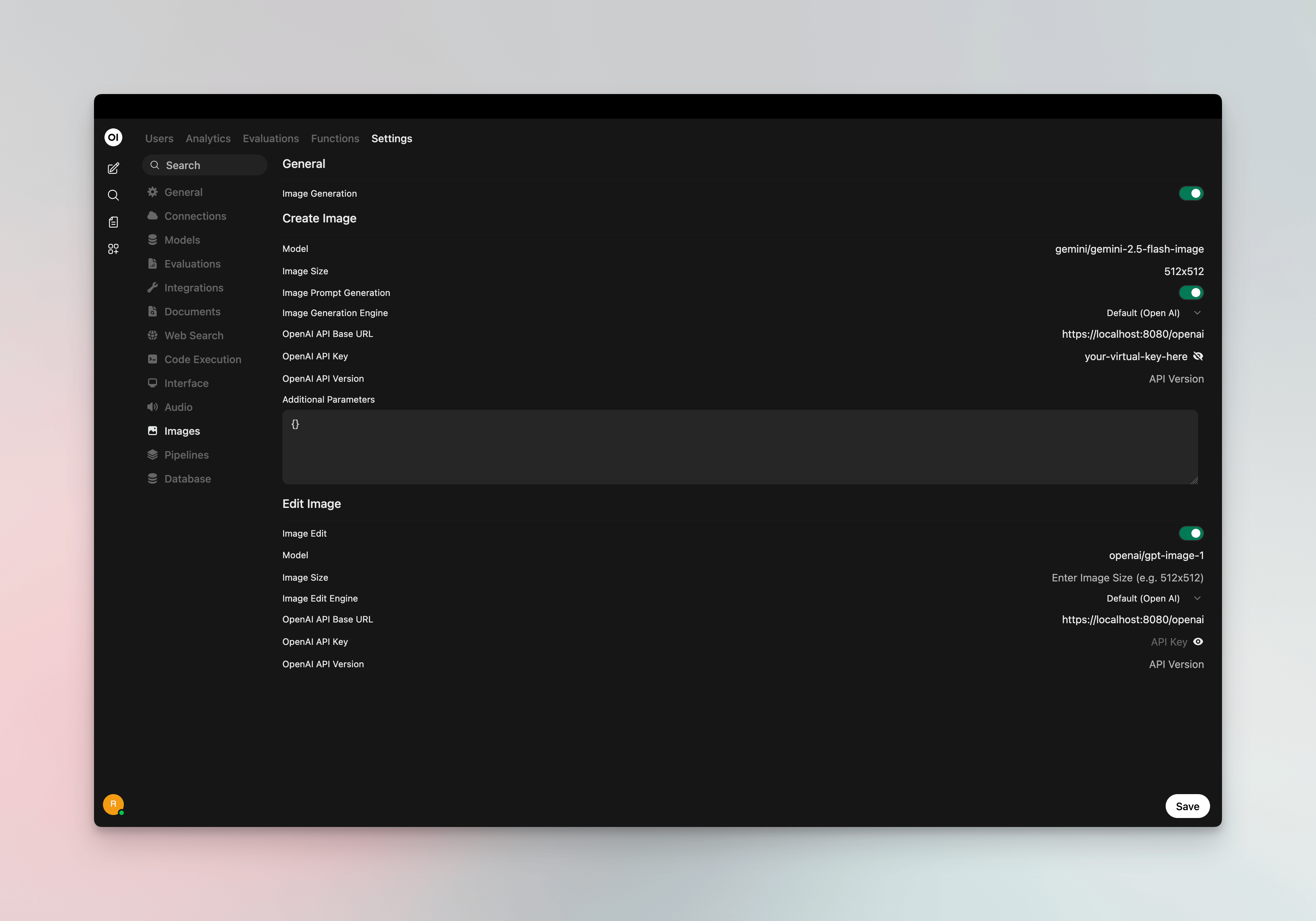
Set a Vikat provider/model as your image inference engine for DALL·E-style image generation:- Go to ⚙️ Admin Settings → Settings → Images
- Set Image Generation Engine to Open AI
- Configure:
- API Endpoint URL:
http://localhost:8080/v1(or your Vikat host +/v1) - API Key: Your Vikat virtual key if authentication is enabled
- Model: Vikat model ID in
provider/modelformat (e.g.openai/dall-e-3,openai/gpt-image-1)
- API Endpoint URL:
/v1/images/generations).
Vision (Image Understanding)
Chat models that support vision (e.g.openai/gpt-4o, anthropic/claude-sonnet-4-5) work through your main Vikat connection. When you select a vision-capable model in the chat selector, you can attach images to your messages - Open WebUI sends them to Vikat, which routes to the correct provider.
Docker Networking
Choose the correct URL for your setup:Environment Variables (Alternative)
You can also configure Vikat via environment variables when running Open WebUI:Observability
All Open WebUI traffic through Vikat is logged. Monitor it athttp://localhost:8080/logs - filter by provider, model, or search through conversation content to track usage across your team.
Next Steps
- Provider Configuration - Configure AI providers in Vikat
- Virtual Keys - Set up usage limits and access control