

If your Allowed Headers are already set to
*, you can skip this note. If not and you face issues integrating Vikat with Roo Code, try switching to * or adding the specific headers required by your client. By default, Vikat whitelists: Content-Type, Authorization, X-Requested-With, X-Stainless-Timeout, and X-Api-Key.Setup
1. Install Roo Code
Install the Roo Code extension from the VS Code marketplace.2. Create an API Configuration Profile
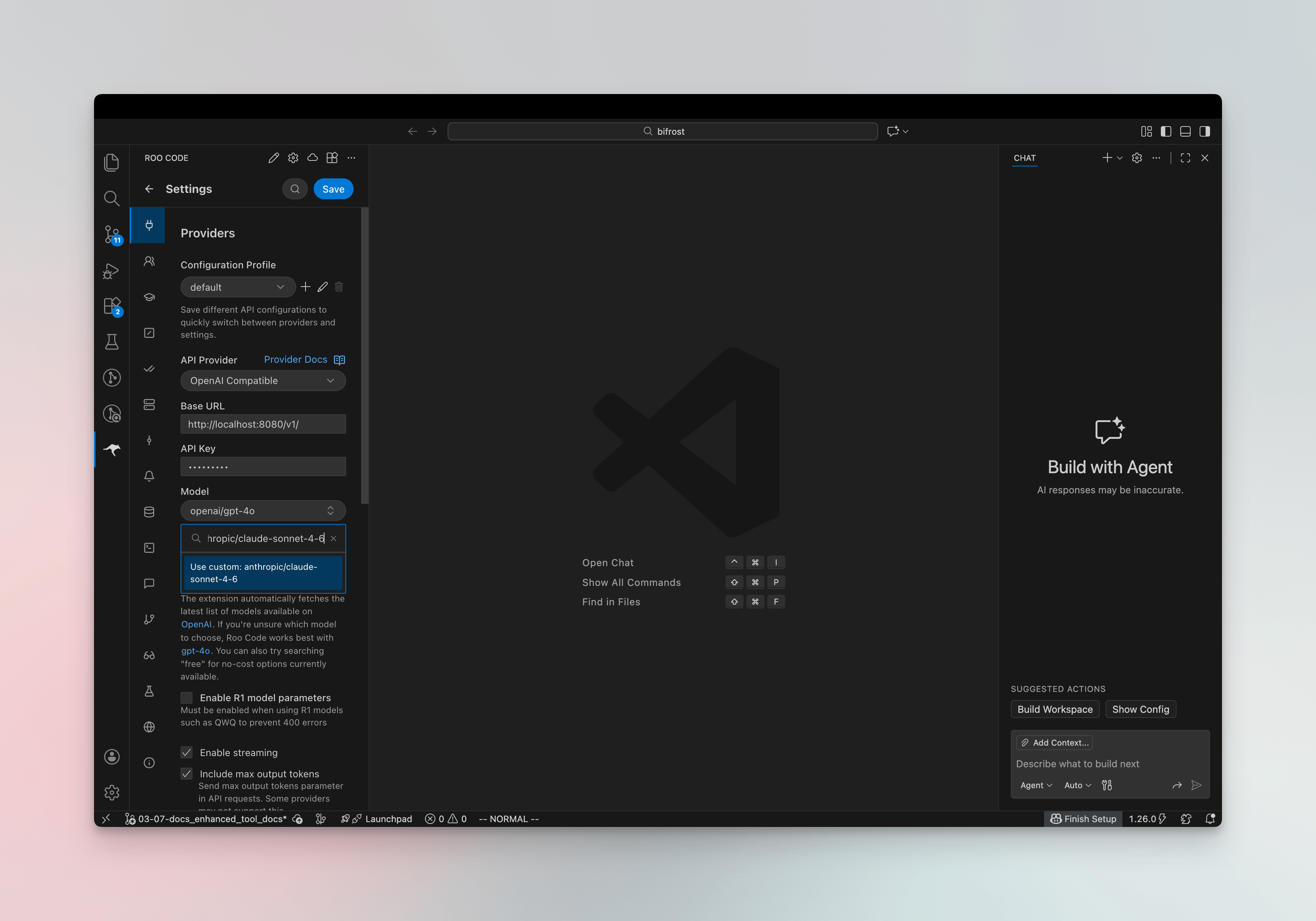
- Open Settings (click the gear icon) → Providers
- Click the + button to create a new profile
- Select OpenAI Compatible as the provider
- Configure the following:
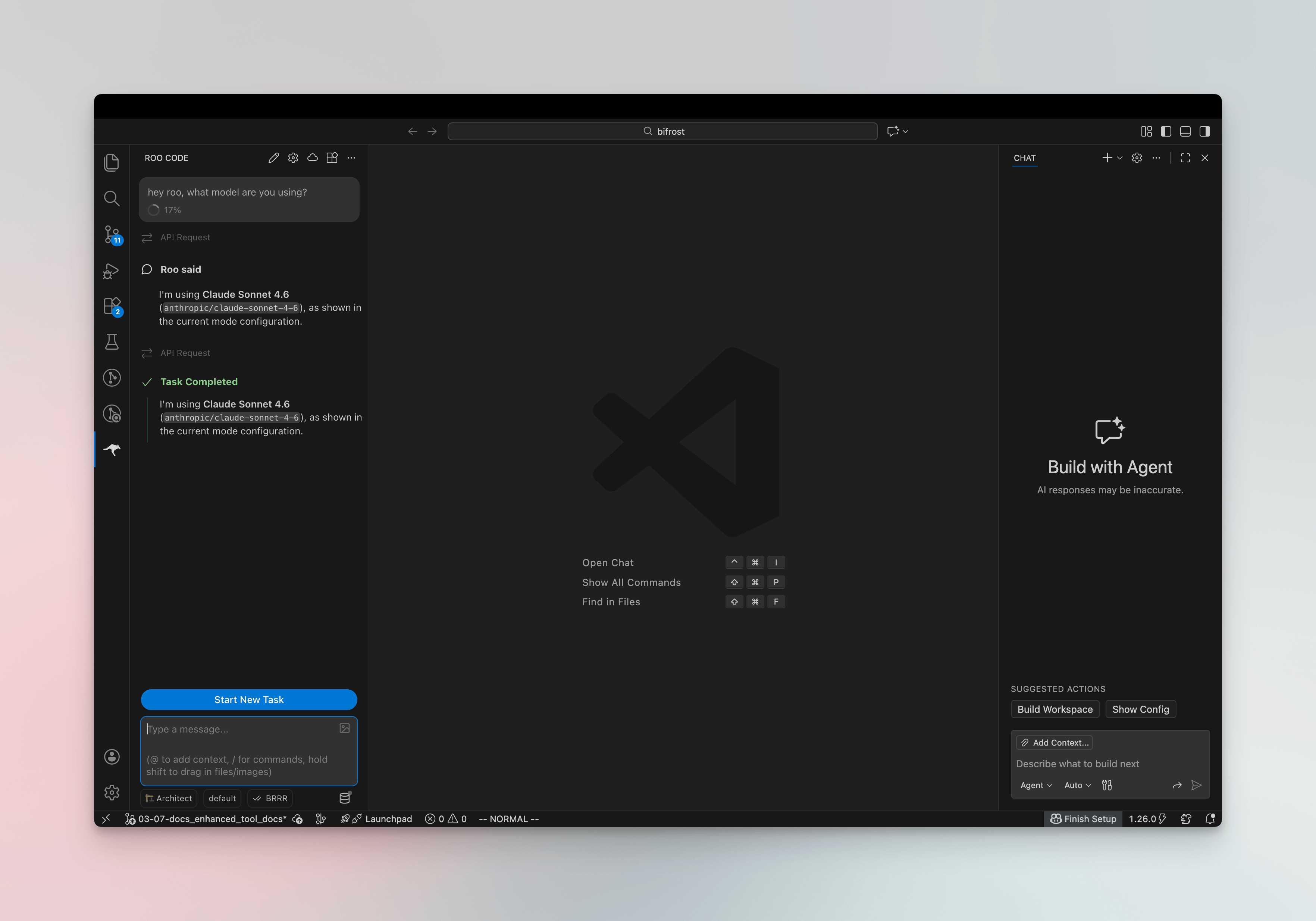
3. Verify the Connection
Ask Roo which model it’s using - it should respond with the Vikat model ID you configured (e.g.anthropic/claude-sonnet-4-5).
Virtual Keys
When Vikat has virtual key authentication enabled, set API Key in your Roo Code profile to your virtual key. This lets you enforce usage limits, budgets, and access control per user or team. For team deployments, create a separate configuration profile for each team - each can use a different virtual key with its own rate limits, budgets, and provider access rules configured in the Vikat dashboard.Model Selection
Roo Code lets you assign models per mode (Code, Ask, Architect, Debug, Orchestrator). Use Vikat model IDs inprovider/model format to access any configured provider:
- Use powerful models like
openai/gpt-5oranthropic/claude-sonnet-4-5-20250929for complex coding tasks - Use fast models like
groq/llama-3.3-70b-versatilefor quick completions - Link different profiles to different modes in the Prompts tab for optimal cost and performance
Using Multiple Providers
Vikat routes requests to the correct provider based on the model name. Use theprovider/model-name format to access any configured provider through the single OpenAI-compatible endpoint:
Supported Providers
Vikat supports the following providers with theprovider/model-name format:
openai, azure, gemini, vertex, bedrock, mistral, groq, cerebras, deepseek, cohere, perplexity, xai, ollama, openrouter, huggingface, nebius, parasail, replicate, vllm, sgl
Roo Code connects to Vikat via a single OpenAI-compatible endpoint. Vikat handles routing to the correct provider based on the model name - no per-provider configuration needed.
MCP Server Integration
Roo Code supports MCP (Model Context Protocol). You can connect it to Vikat’s MCP server to access all tools configured in Vikat. See MCP Gateway for setup instructions.Observability
All Roo Code traffic through Vikat is logged. Monitor it athttp://localhost:8080/logs - filter by provider, model, or search through conversation content to track usage.
Next Steps
- Provider Configuration - Configure AI providers in Vikat
- Virtual Keys - Set up usage limits and access control