

If your Allowed Headers are already set to
*, you can skip this note. If not and you face issues integrating Vikat with Zed, try switching to * or adding the specific headers required by your client. By default, Vikat whitelists: Content-Type, Authorization, X-Requested-With, X-Stainless-Timeout, and X-Api-Key.Setup
1. Configure Vikat Provider
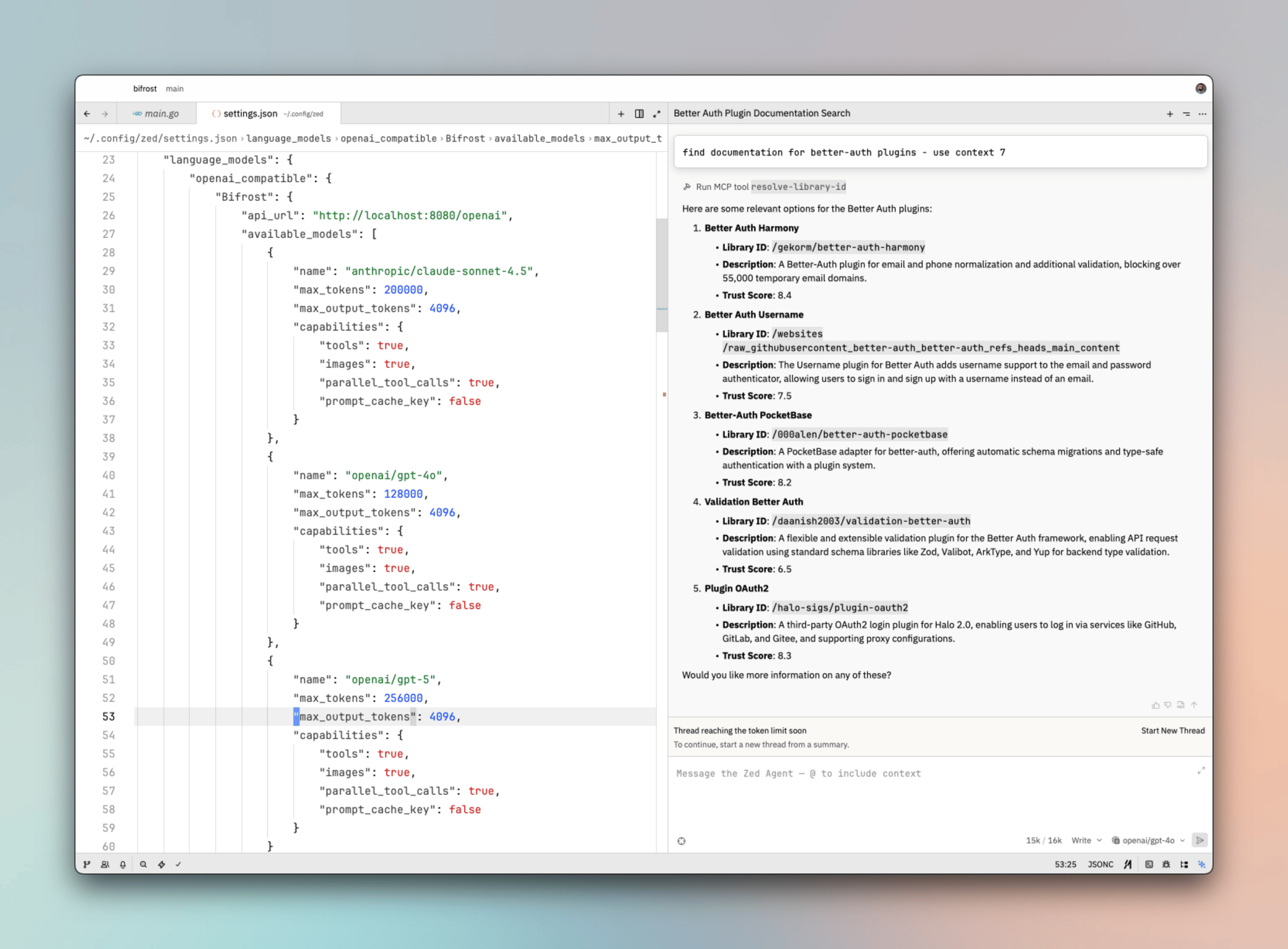
Add Vikat to Zed’slanguage_models.openai_compatible configuration. This is typically in your Zed settings (JSON) or workspace config.
http://localhost:8080/openai with your Vikat gateway URL + /openai.
2. Model Capabilities
Use Vikat model IDs in
provider/model format (e.g. openai/gpt-5, anthropic/claude-sonnet-4.5). Ensure these models are configured in Vikat.
3. Reload Workspace
After changing the configuration, reload the workspace so Zed recognizes and reloads the provider list.Virtual Keys
When Vikat has virtual key authentication enabled, add anapi_key field to the Vikat provider config (check Zed’s documentation for the exact field name - it may vary by version):
Model Selection
Zed lets you assign models to different AI features. Use Vikat model IDs inprovider/model format to access any configured provider:
- Use powerful models like
openai/gpt-5oranthropic/claude-sonnet-4-5-20250929for complex code generation and refactoring - Use fast models like
groq/llama-3.3-70b-versatilefor quick completions and inline suggestions
Using Multiple Providers
Vikat routes requests to the correct provider based on the model name. Use theprovider/model-name format to access any configured provider through the single OpenAI-compatible endpoint:
Supported Providers
Vikat supports the following providers with theprovider/model-name format:
openai, azure, gemini, vertex, bedrock, mistral, groq, cerebras, deepseek, cohere, perplexity, xai, ollama, openrouter, huggingface, nebius, parasail, replicate, vllm, sgl
Zed connects to Vikat via a single OpenAI-compatible endpoint. Vikat handles routing to the correct provider based on the model name - no per-provider configuration needed.
Observability
All Zed requests through Vikat are logged. Monitor them athttp://localhost:8080/logs - filter by provider, model, or search through conversation content to track usage.
Next Steps
- Provider Configuration - Configure AI providers in Vikat
- Virtual Keys - Set up usage limits and access control